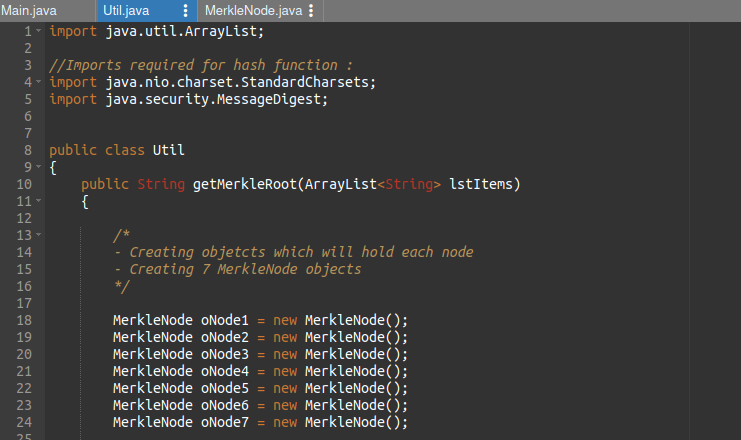
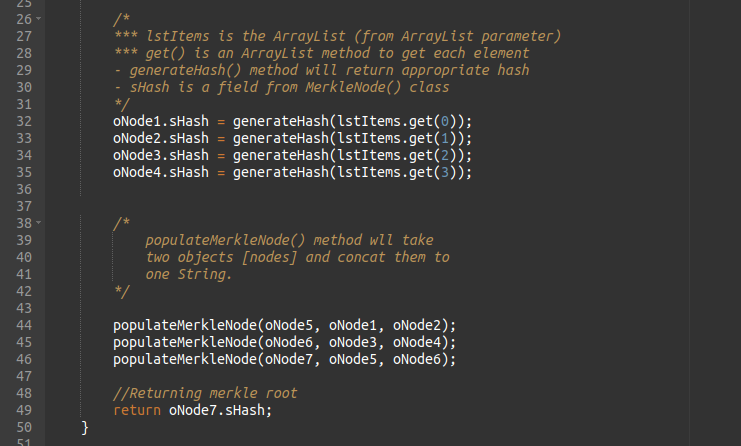
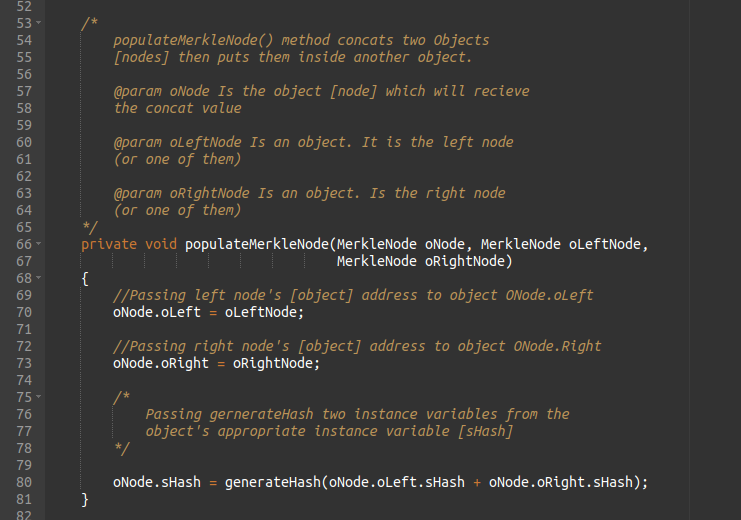
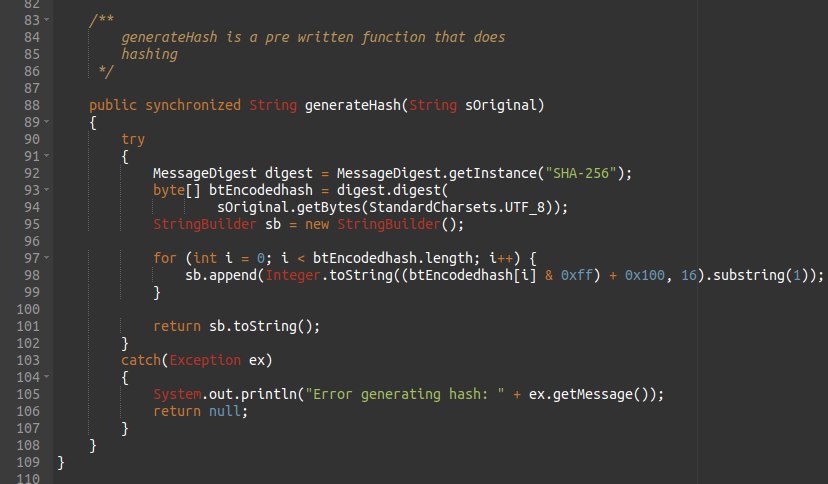
Merkle tree also known as hash tree is
a data structure used for data verification and
synchronization.
It is a mathematical data structure composed of hashes
of different blocks of data, and which serves as a
summary of all the transactions in a block.
Merkle tree is a fundamental part of blockchain technology.
Both Bitcoin and Ethereum use Merkle Trees structure.
Fundamentally, it is a data structure tree in which
every leaf node labelled with
the hash of a data block,
and the non-leaf node labelled with the cryptographic
hash of the labels of its child nodes.
The leaf nodes are the lowest node in the tree.
So before understanding how Merkle trees work, we need
to understand how hash functions work.
A hash function maps an input to a fixed output and
this output is called hash. The output is unique for
every input and this enables fingerprinting of data.
So, huge amounts of data can be easily identified
through their hash.
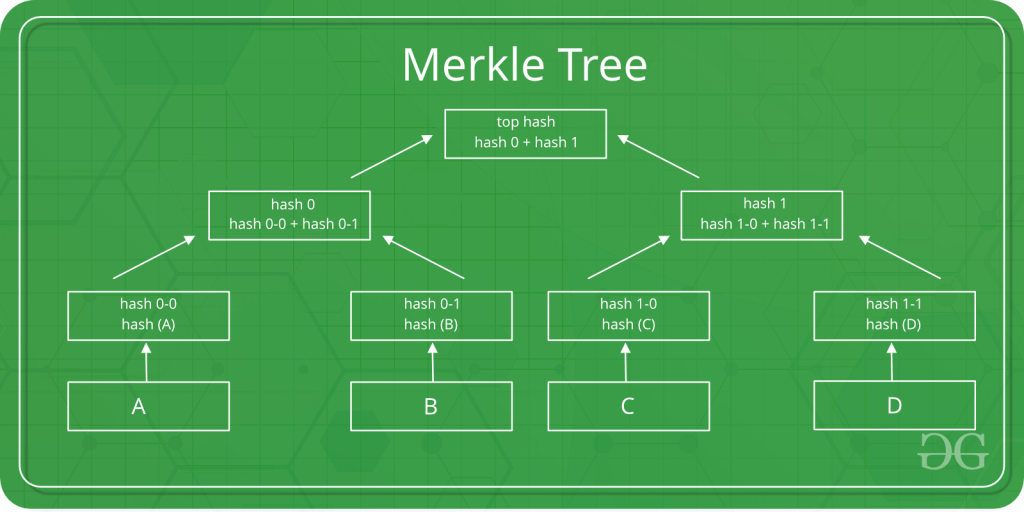
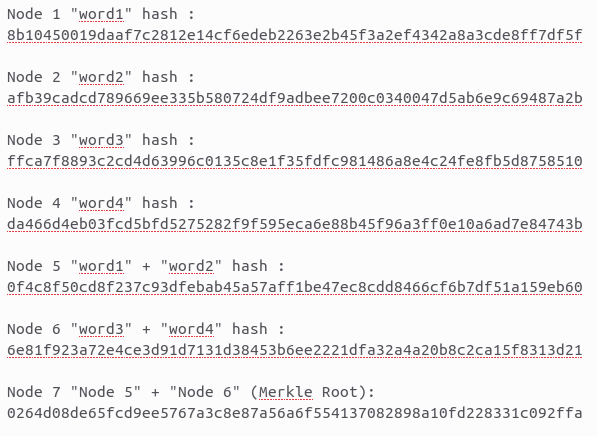
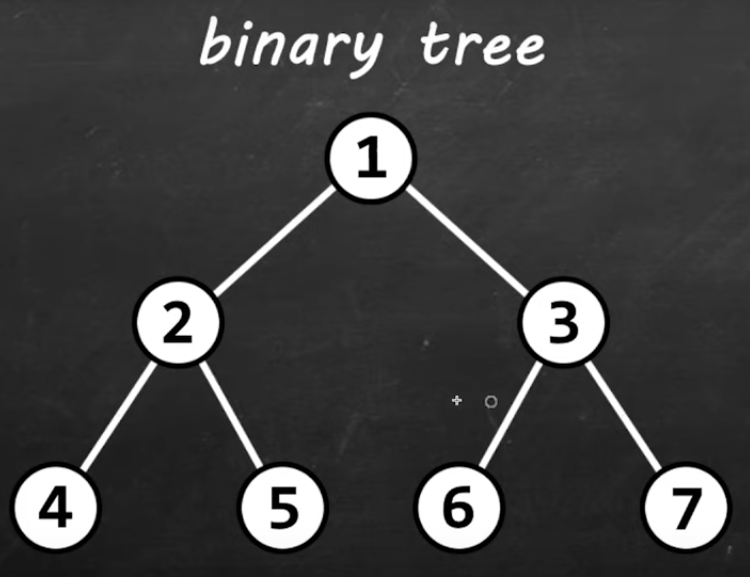
This is a binary merkel tree, the top hash is a hash of the entire tree.
- This structure of the tree allows efficient mapping of huge data and small changes made to the data can be easily identified.
- If we want to know where data change has occurred then we can check if data is consistent with root hash and we will not have to traverse the whole structure but only a small part of the structure.
- The root hash is used as the fingerprint for the entire data.
Example 1 :
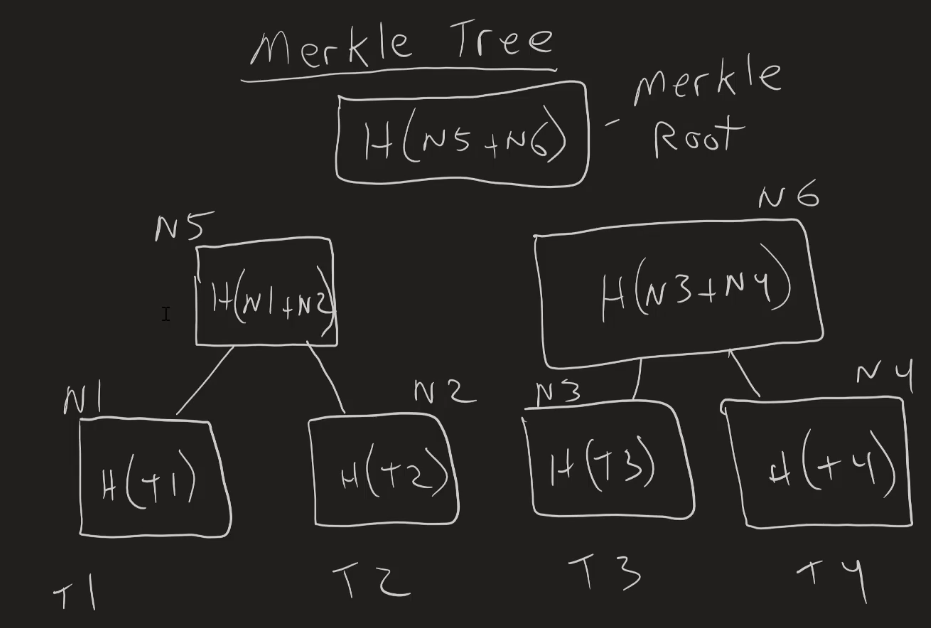
T = Transaction, H = Hash, N = Node
Threads
Threads allows a program to operate more efficiently by doing multiple things at the same time.
Threads can be used to perform complicated tasks in the background without interrupting the main program.
A thread of executions in a program (kind of like a virtual CPU)
The JVM allows an application to have multiple threads running
concurrently.
Each thread can execute parts of your code in parallel with
the main thread.
Each thread has a priority.
Threads with higher priority are executed in prefrence
compared to threads with a lower priority.
The JVM continues to continues to execute threads until either
of the following occurs :
1. The exit method of class
Runtime has been called.
2. All user threads have died.
When a JVM starts up, there is a thread which calls
the main method.
This thread is called main.
(hide)
There are two ways to create a thread :
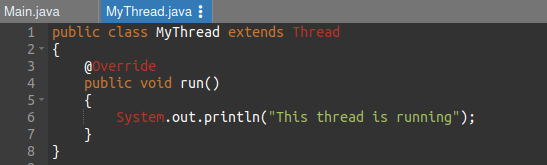
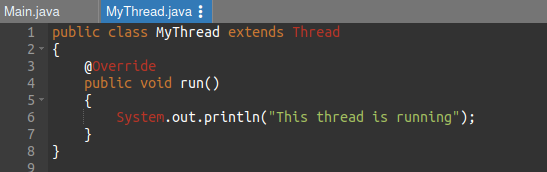
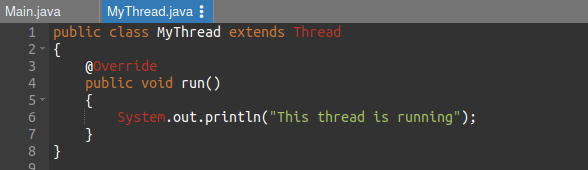
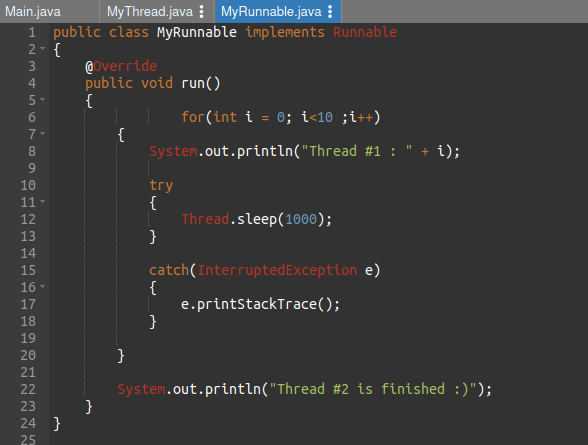
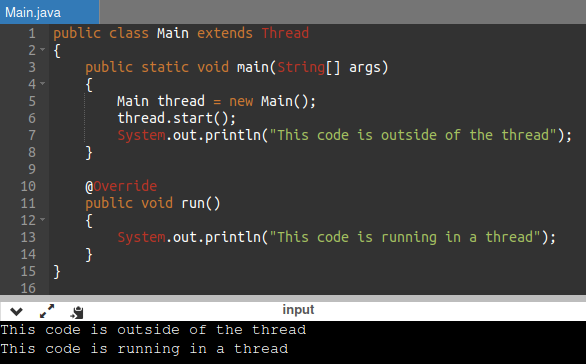
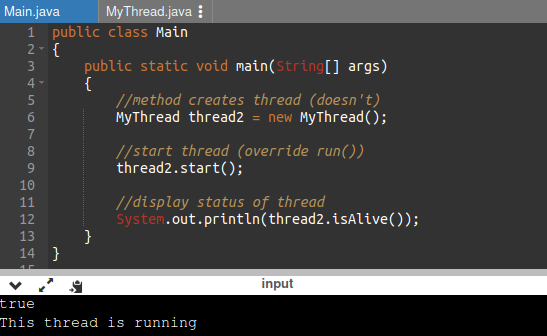
It can be created by extending the Thread class and overriding its run() method
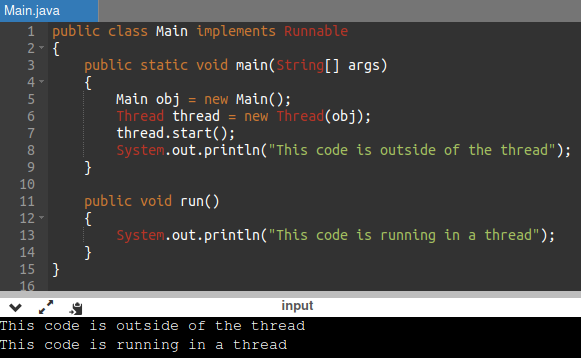
Another way to create a thread is to implement the Runnable interface
If the class extends the Thread class, the thread
can be run by creating an instance of the class and call
its start() method.
If the class implements the Runnable interface, the thread
can be run by passing an instance of the class to a Thread
object's constructor and then calling the thread's start()
method.
Example 1 (thread by extending ??? via main)
Example 2 (thread via extending??)
Example 3 (thread by implement)
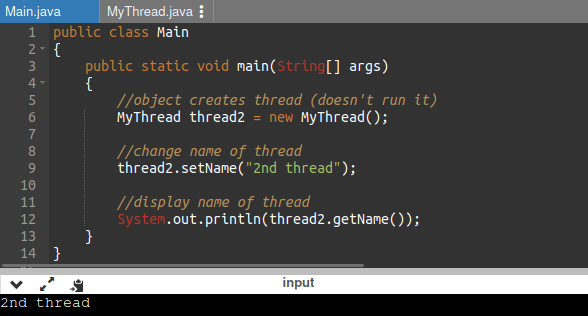
Threads methods
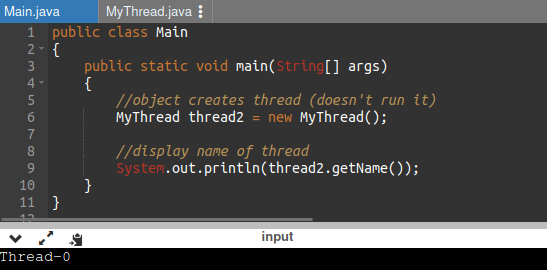
Example (displaying name of thread via extending)
(hide)
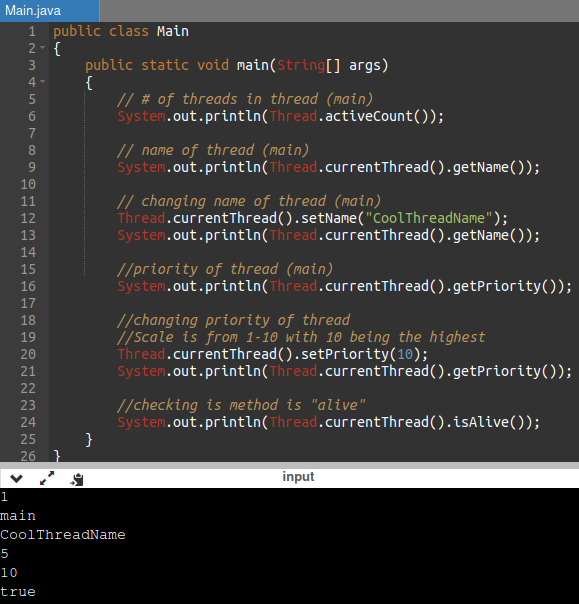
Example (changing name of thread)
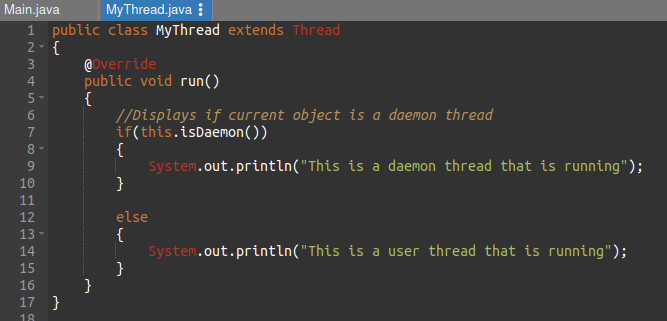
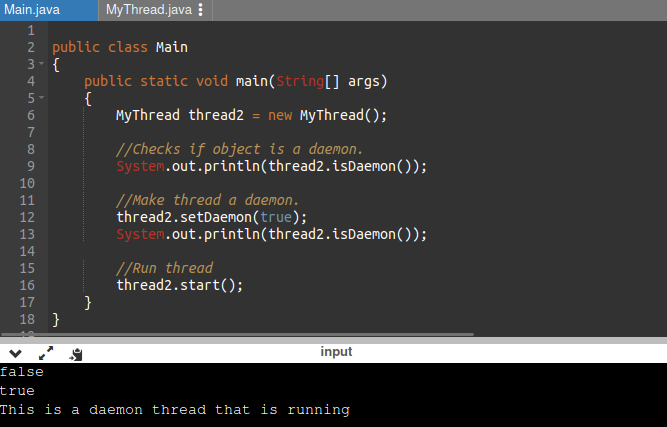
Daemon thread is a low priority thread
that runs in the background to perform tasks such as
grabage collection.
JVM terminates itself when all user threads
(non-daemon threads) finish their execution.
Thread's sleep() method
The Java Thread class provides the two overloaded
methods of the method sleep() .
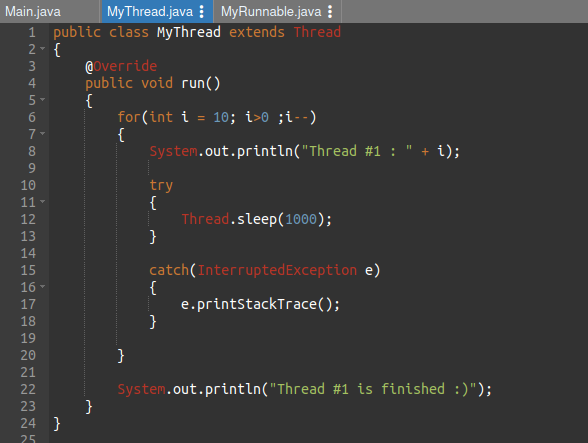
The sleep() method is used to halt the working of a
thread for a given amount of time. The time up to which
the thread remains in the sleeping state is known as the
sleeping time of the thread. After the sleeping time is over,
the thread starts its execution from where it has left.
The Java Thread class provides the two variant of the
sleep() method. First one accepts only an arguments,
whereas the other variant accepts two arguments.
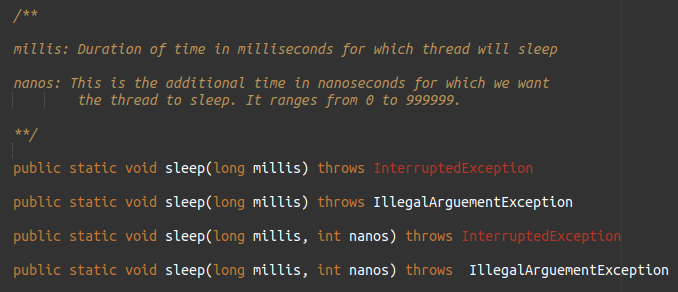
There are 4 variations of the sleep() method in Java Thread :
Example 1 :
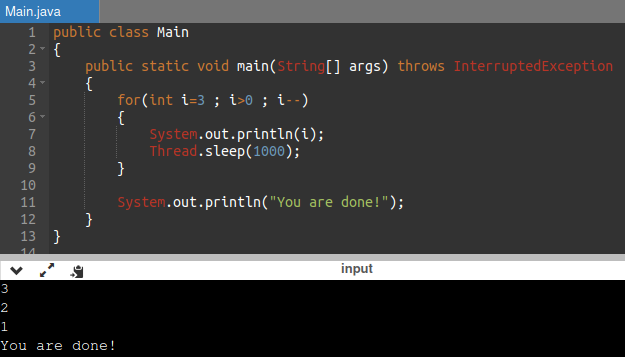
The method sleep() with the one parameter is the native method, and the implementation of the native method is accomplished in another programming language. The other methods having the two parameters are not the native method. That is, its implementation is accomplished in Java. We can access the sleep() methods with the help of the Thread class, as the signature of the sleep() methods contain the static keyword. The native, as well as the non-native method, throw a checked Exception. Therefore, either try-catch block or the throws keyword can work here.
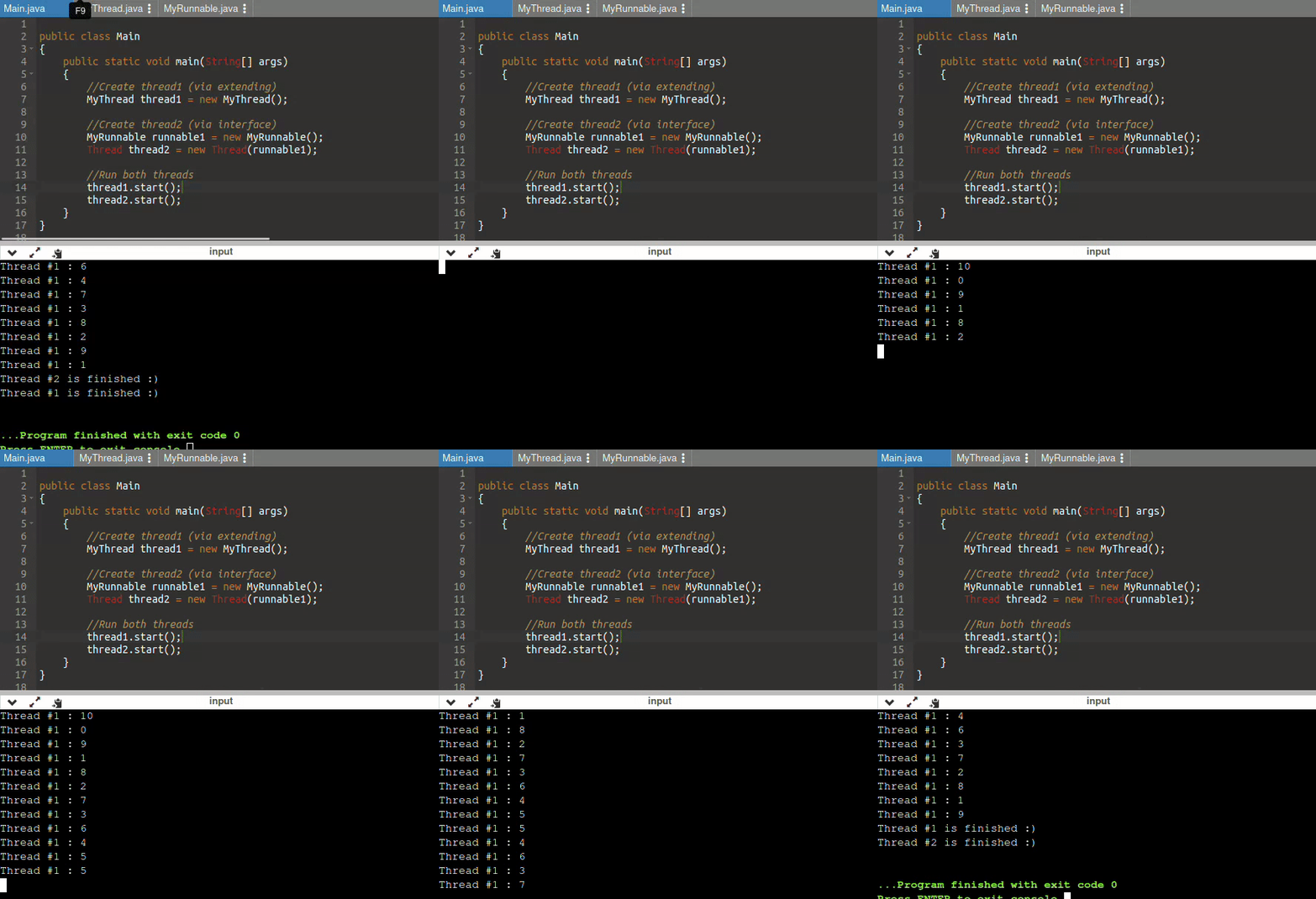
MultiThreading
Multithreading in the process of executing multiple
threads simultaneously.
Helps maximum utilization of CPU.
Threads are independent, they don't effect the execution of
other threads.
An exception in one thread will not interrupt other threads.
It's useful for serving multiple clients, multiplayer games, or
other mutually independent tasks.
Week 3
SecureRandom class
The SecureRandom class provides a cryptographically
strong random number generator.
import :
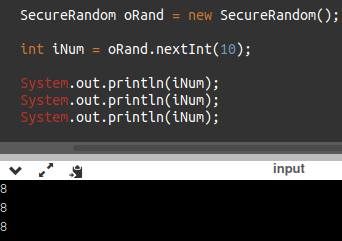
A caller obtains a SecureRandom instance via the no-argument constructor.
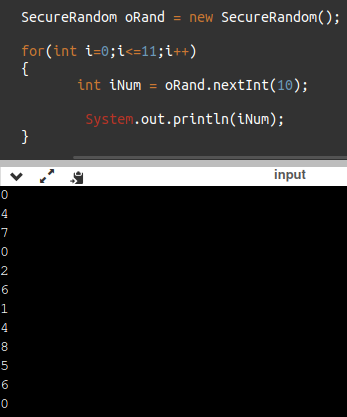
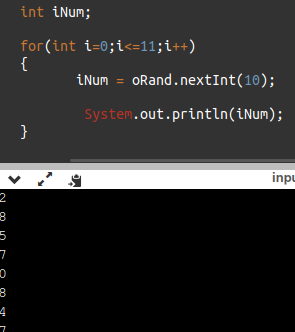
We can call the nextInt method to get a random int number.
We can set a range by inserting an argument.
The range will start from 0 and continue until the
argument value.
Example 1 :
Example 2 :
Example 3 :
Two Dimensional Array (review)
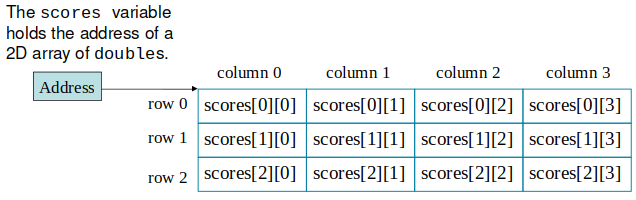
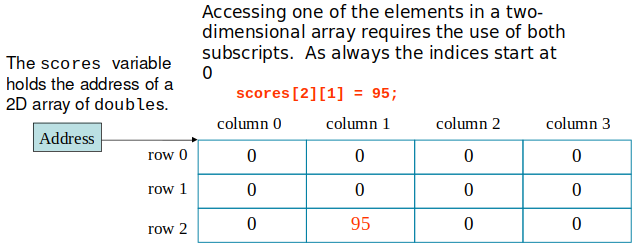
Declaring a two-dimensional array requires two sets of brackets and two size declarators.
When processing the data in a two-dimensional array, each
element has two subscripts : one for its row and another
for its column.
Week 4
LinkedList
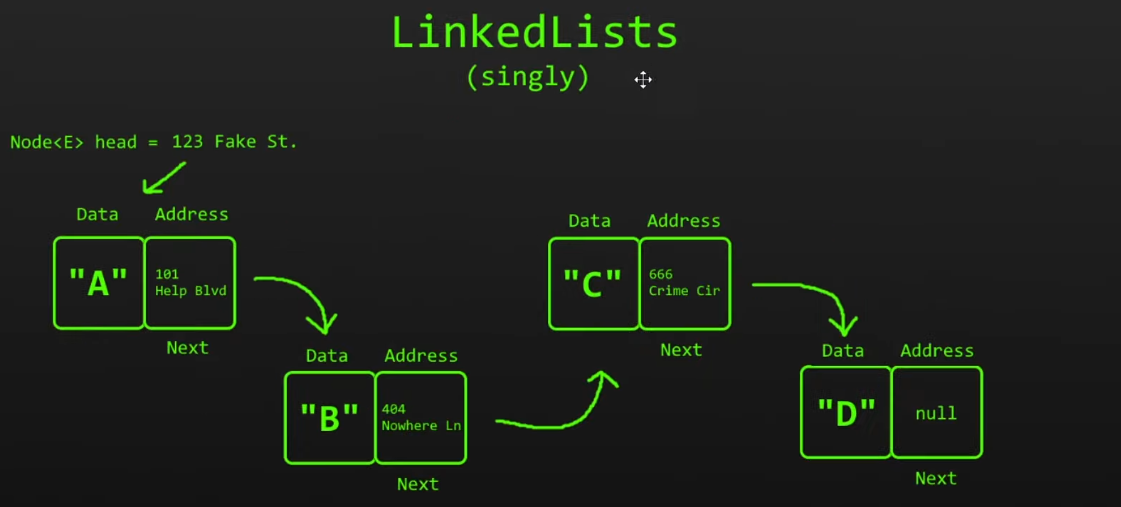
The LinkedList is made up of long chain of nodes
(Each element is known as a node)
with each node containing two parts. The node is made
up of : (1) data we need to store, and (2) an
address/pointerto the next node or
a link.
The LinkedList class has all of the same methods as the
ArrayList class because they both implement the List interface.
Linked List do not have an index (like Arrays).
However, while the ArrayList class and the LinkedList class can be used in the same way, they are built very differently.
Use an ArrayList for storing and accessing data, and LinkedList to manipulate data.
An array in Java is a fixed number.
An ArrayList has a default size, once it has
reached that capacity a new array of a larger capacity
is created then moves all those elements into the larger
array. This dynamic resizing takes time and resources.
If we wanted an element from an arrayList simply goes
to element and grabs data.
If we wanted an element from a linkedList, we would
start at the head and make our way to needed element,
which would be slower.
Where linkedList beats arrayList is adding or removing elements.
A linkedList simply changes a couple of nodes/links, not messing
around with other parts of the list.
In an arrayList to add a element, a new array is created then the original array
is manipulated to fit the new array.
To remove an element in an arrayList all the elements in the array
have to be manipulated (an array has to manipulate each element just
to remove one element)
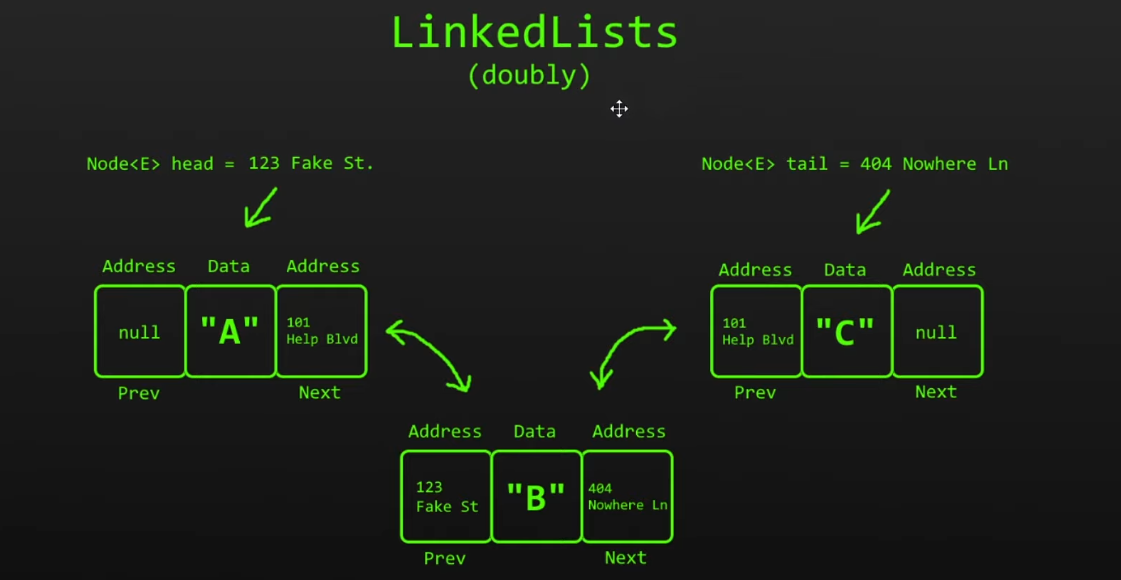
There are two variations of LinkedList : singly
and doubly. In a singly LinkedList there is only a
single address (of another node) or link.
In a doubly LinkedList there are two addresses (of other
nodes) or links. A doubly LinkedList requires more memory than singly.
Because LinkedList node contains an
address to the next node, this makes it
non contiguous. A LinkedList starts at
the head and ends at it's tail.
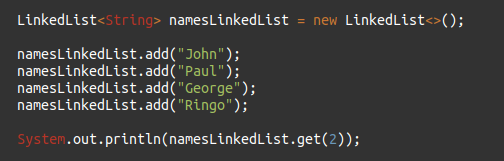
In order to use a LinkedList in Java we use import the
java.util.LinkedList
We start by creating a LinkedList object.
Example :
Week 5
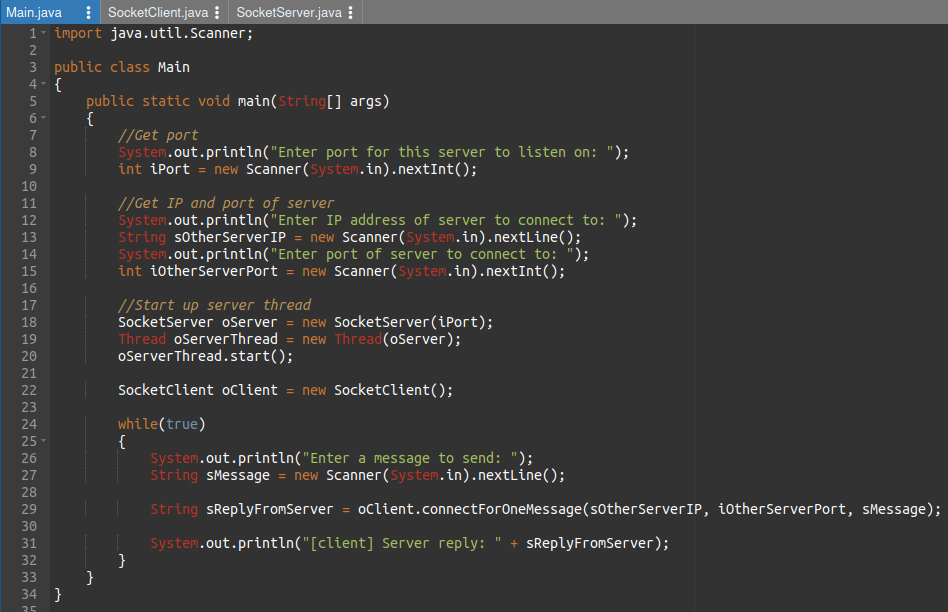
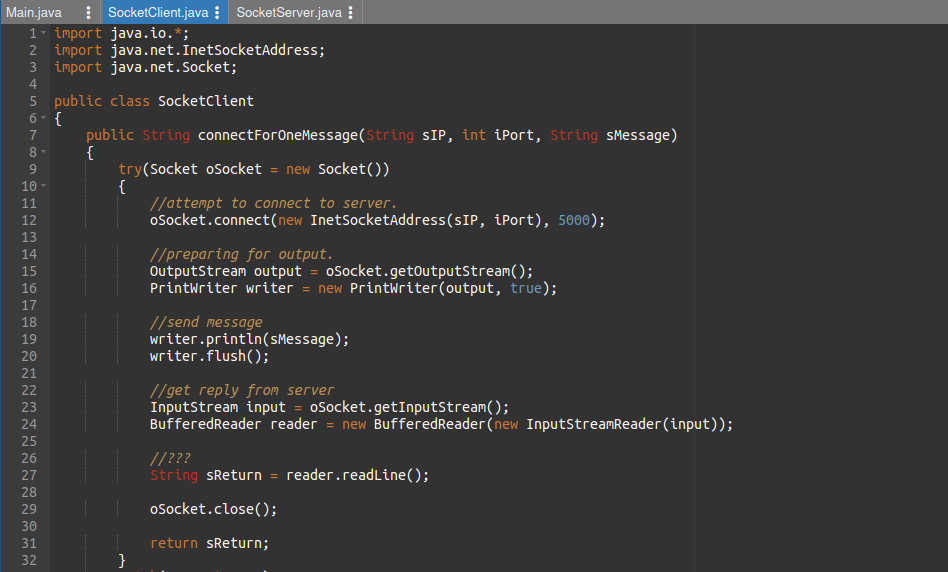
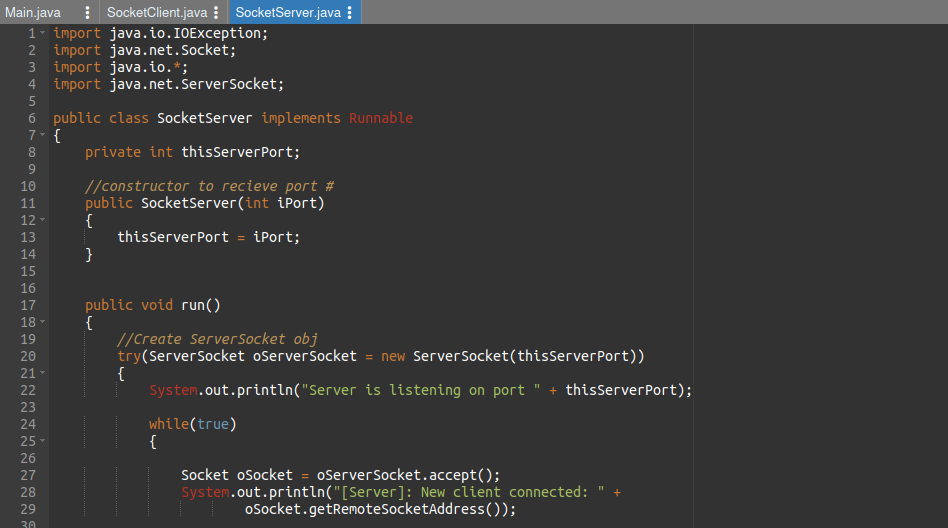
??Sockets
Week 6
Big O Notation
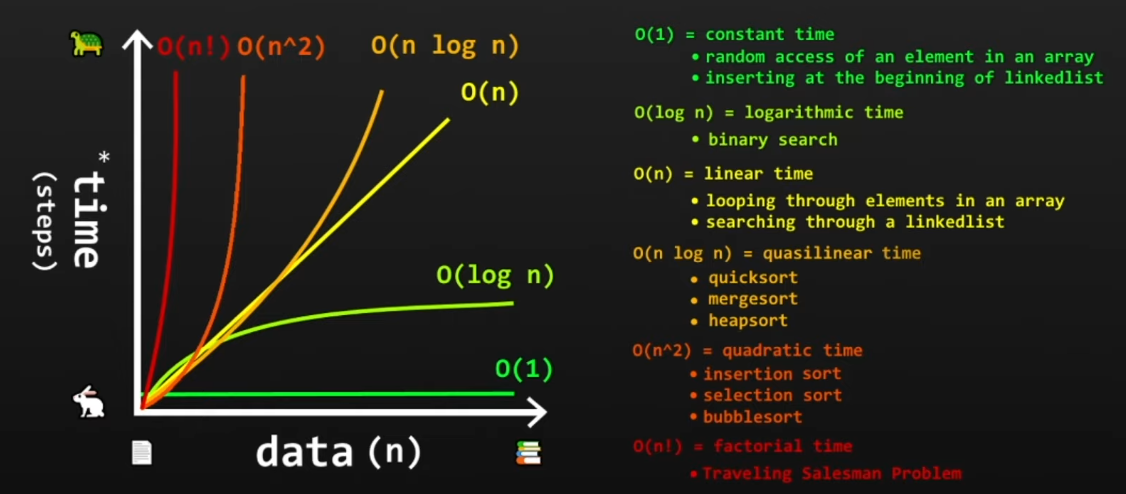
Big O notation describes how code slows as data grows.
Big O notation desribes the performance of an algorithm
as the amount of data increases. It's also machine independent
and only focus on # of steps to completion.
When using this notation we also ignore smaller operations.
Time complexity estimates the time to run an algorithm.
It's calculated by counting the elementary operations.
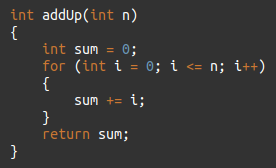
O(n) has a linear time complexity.
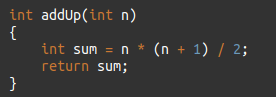
O(1) has a constant time.
Example 1 :
0(n) [n=10000000000] [~10000000000 steps]
0(1) [n=10000000000] [3 steps]
Recursion
Recursion is the process in which a method calls
itself continously.
A method that calls itself is called a recursive
method.
Recursion is useful for factorials, transversing trees,
and provides a way to break complicated problems down
into simple problems.
The developer should be very careful with recursion as it can be quite easy to slip into writing a function which never terminates, or one that uses excess amounts of memory or processor power. However, when written correctly recursion can be a very efficient and mathematically-elegant approach to programming.
Binary Search
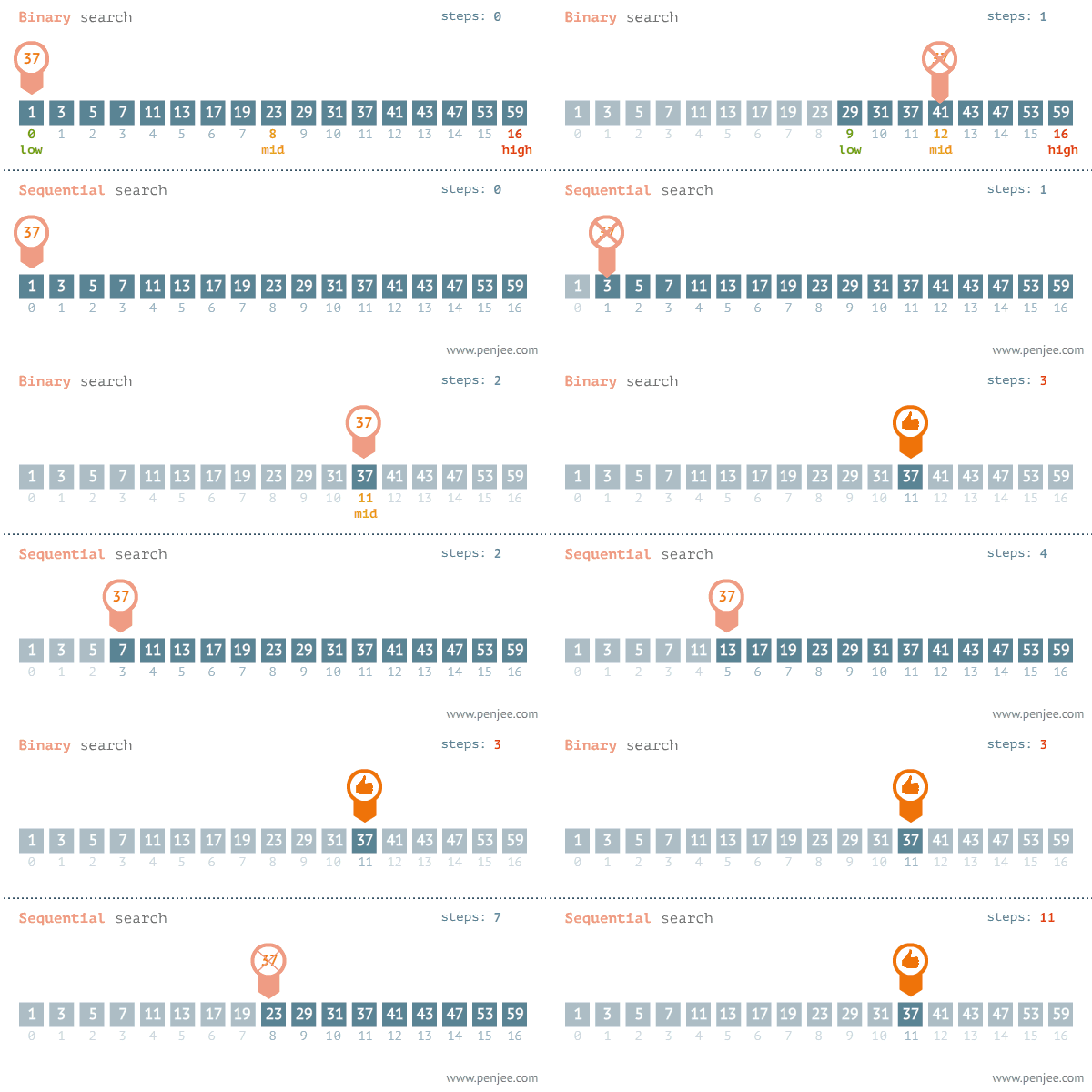
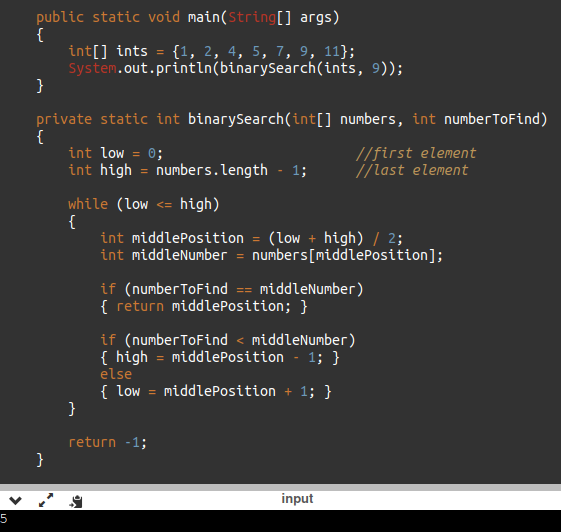
A binary search algorithm is a way you can check whether a
specific value is present inside a sorted array.
We start with a sorted array (
array must be in order
).
Next we begin by checking the value at the center (middle) of the array.
Next we compare the center value with the value we are looking for, if the value
isn't the same we compare whether the value we are seeking is less than or more than
the center value.
We repeat the binary search with each half until we find the value we are
searching for.
After the algroithm finds that number it returns
the index of that value.
If we didn't find the value an index of -1 is returned.
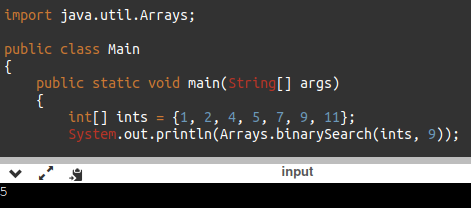
Java provides binarySearch() method from
the java.util.Arrays package.
Week 7
Queues
Queue is a FIFO data structure.
First-In First-Out (ex. A line of people)
A collection designed for holding elements
prior to processing. It's a linear data structure.
The concepts of adding and removing objects from a
queue is known as both enqueue (add to
our tail)
and dequeue (remove from our head).
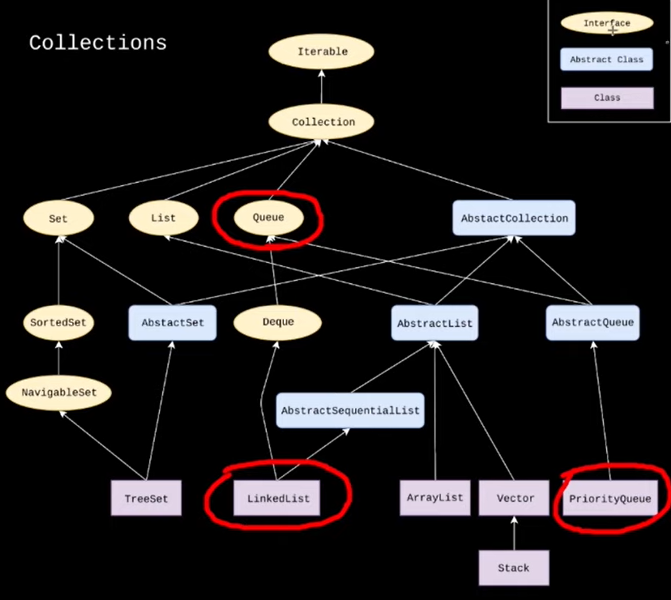
??? When creating a queue we cannot instantiate with
type queue, because queue is an interface (not a class).
To utilize a queue data structure we can use the
LinkedList or PriorityQueue class
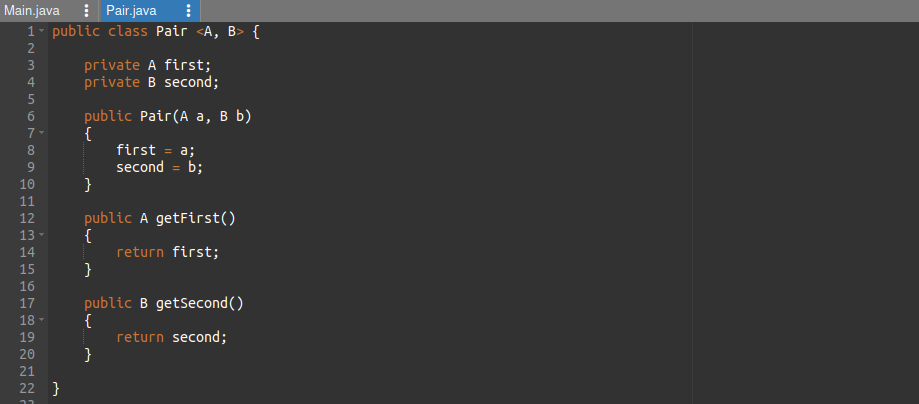
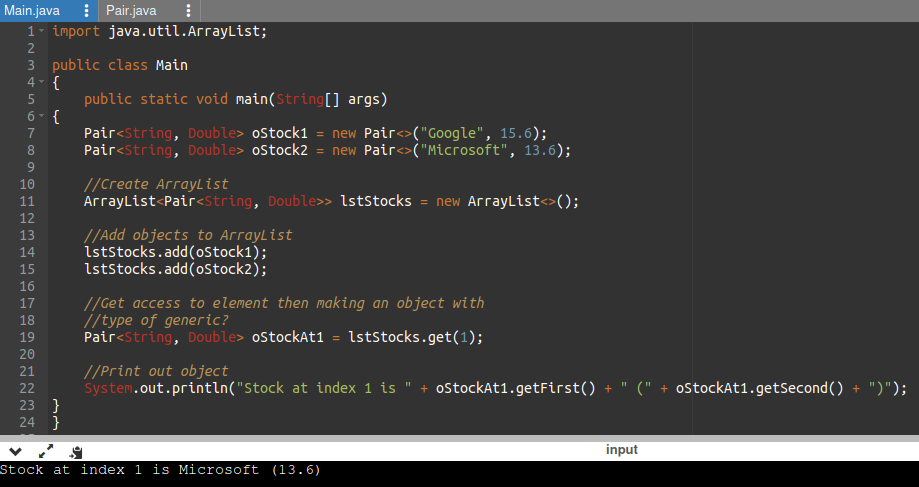
Generics
Generics enable types (classes and interfaces) to be
parameters when defining: classes, interfaces, and methods.
A benefit is to eliminate the need to create multiple versions
of methods or classes for various data types. Use 1 version
for all reference data types.
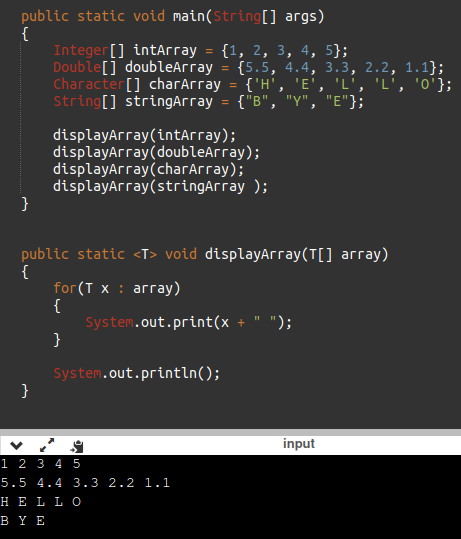
Generics (method)
To define a generic method we start right before
the return type.
We write in <> which is
our type parameter
with a value inside, typically with T or Thing.
(no return type or parameters)
?? In order to recieve arrays or ArrayLists of any kind we
use generics ??
For the paramter data type we use the value we used
for our type parameter.
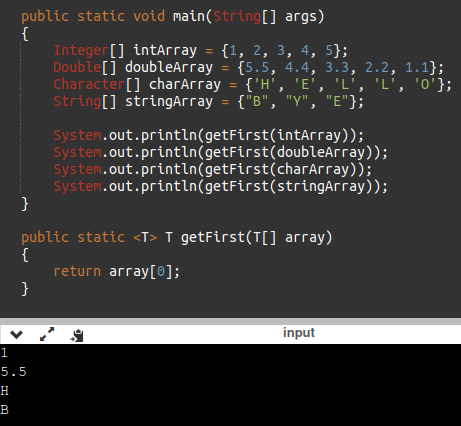
In order to return something generic from a method we
change the return type to be the same value
as our type parameter
Format :
Example :
Generics (classes)
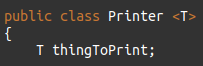
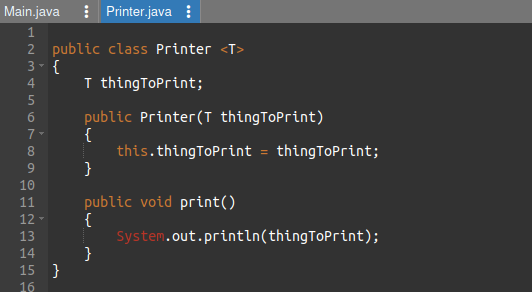
When we want to use generics in a class we start with class
header. After the class name we define a type parameter
which is definied in angle brackets. By convenction T is used
as the type parameter value.
Type parameter represents the type of thing that
the class (or method or interface) is able to hold and print.
Next comes the instance field which is type generic (same
value we picked in the type parameter).
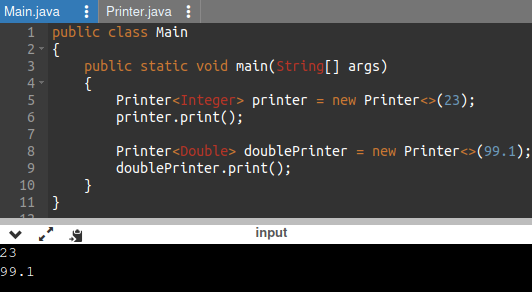
When calling a class (from another class) we must
specify the type we are sending
Within brackets.
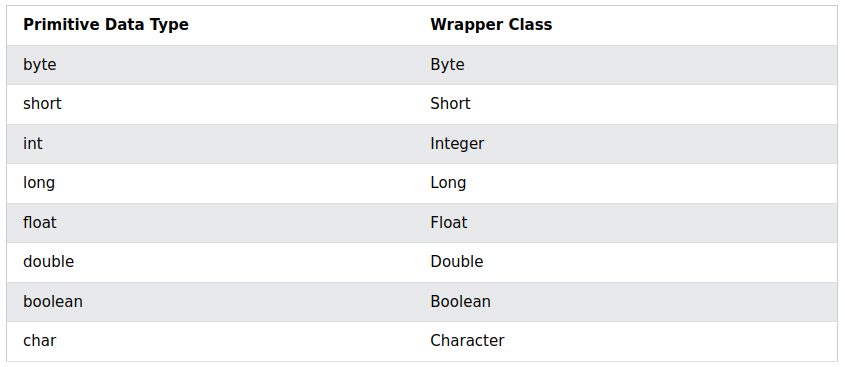
Generics cannot work with primitive data types so
we use wrapper data types
Wrapper classes provide a way to use primitive
data types (int, boolean, etc..) as objects.
One set of brakets goes after the name of class, before name
of object. This first brakets requires the data
type inside it.
Another set of braketsgoes after the name of the class, before
the argument parameter. This second set doesn't require the
data type on newer versions of Java.
Example 1 :
Example 2 :
Week 8
Abstraction (review)
Data abstraction is the process of hiding certain details and
showing only essential information to the user.
Abstraction can be achieved with either abstract classes
or interfaces.
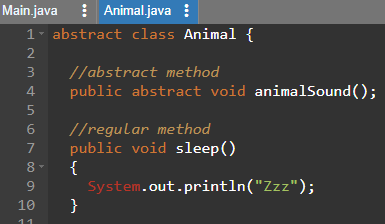
The abstract keyword is a non-access modifier, used for classes
and methods :
Abstract class :
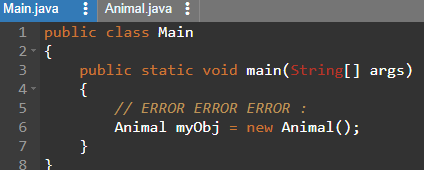
is a restricted class that cannot be used to create
objects.
To access it, it must be inherited.
Abstract classes have a subclass.
Abstract method : can only be used in an abstract class, and it does
not have a body. The body is provided by the subclass (inherited from).
An abstract class can have both abstract and regular methods
(it is not possible to create an object of the following class) :
To access the abstract class, it must be inherited from another class.
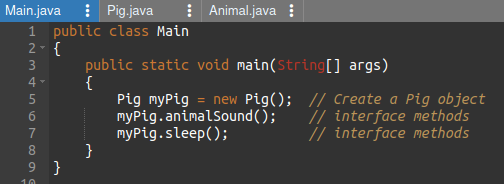
Interface
Another way to achieve abstraction in Java, is with interfaces.
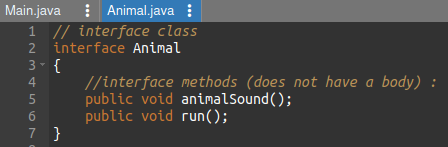
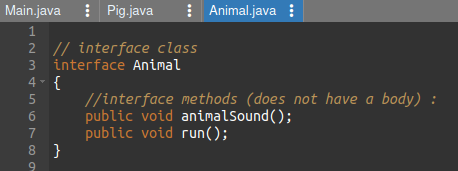
An interface is a completely "abstract class" that is used to group
related methods with empty bodies.
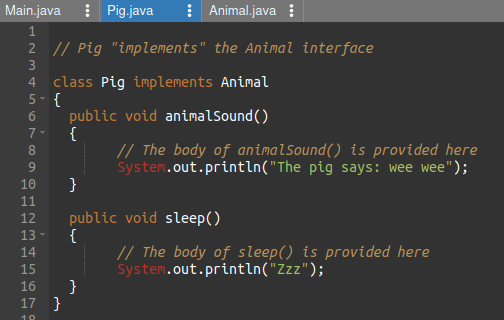
To access the interface methods, the interface must
be "implemented" (like inherited) by another class
with the implements keyword (instead of extends).
The body of the interface method is provided by
the "implement" class :
Things to remember :
- cannot be used to create objects
- interface methods do not have a body (body is provided by implementenation)
- interface methods are by default abstract and public
- interface attributes are by default public, static and final
- cannot contain a constructor (as it cannot be used to create objects)
Mutiple Interfaces???
Trees
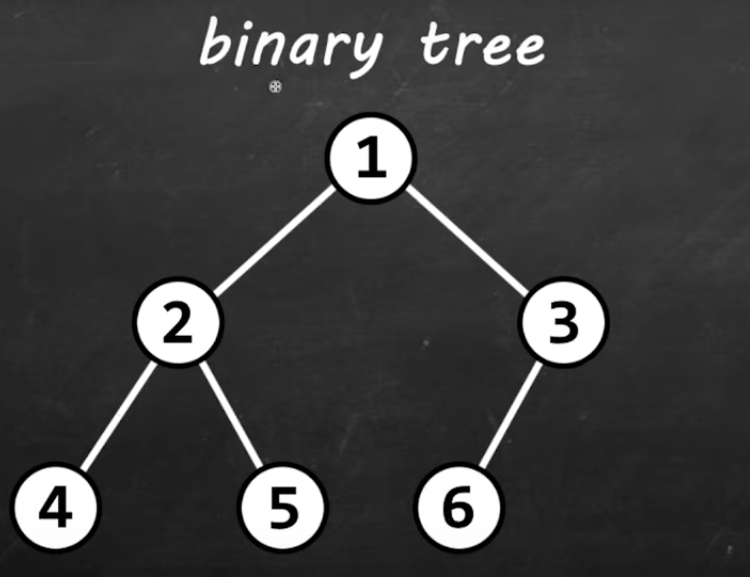
A binary tree is a tree where each
node has no more than two children (binary tree).
(small)
(small)
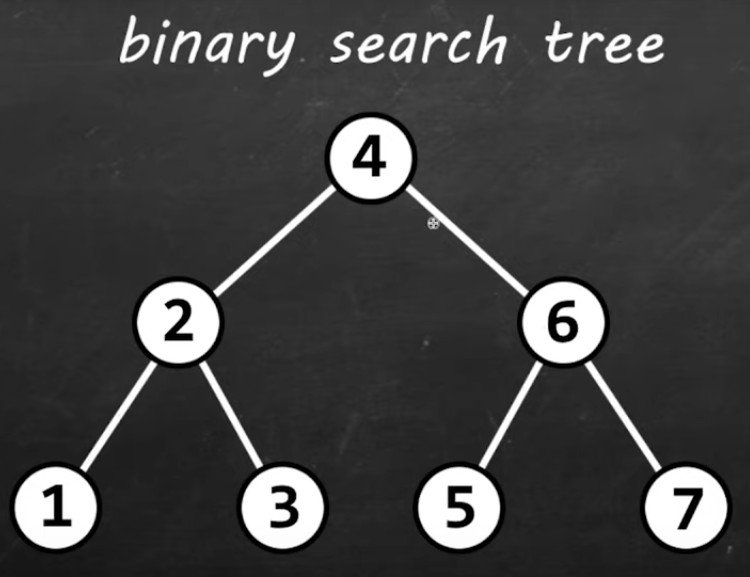
What makes a binary tree a binary search tree
is that the values are arranged in a certain order.
The node should be greater than the left child but less
than the right child.
Trees
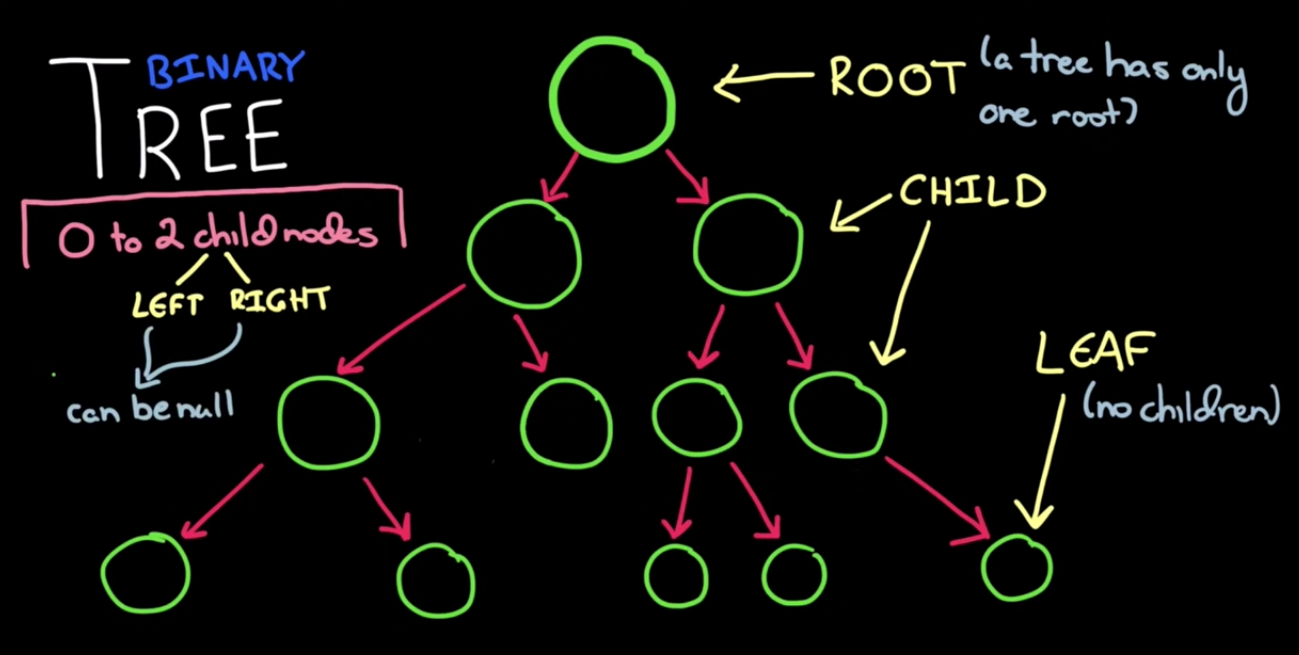
A tree is a type of data structure.
At the top of our tree is a root node (there can only be one).
The top node has child nodes and each of those child nodes
have child nodes themselves, and so on and so forth.
A binary tree means that each node has no more
than two child nodes.
That is that each node has a left node and a right node, of course
one or both of those could also be null.
Nodes next to each other are referred to as siblings.
When a node has no children, that node is called a
leaf.
Very often when we're talking about binary trees we actually
want to talk about binary search trees.
A binary search tree fulfills a specific ordering
property : Any subtree the left nodes are less than
the root node which is less than all of the right nodes.
Let's begin by talking about inserts.
Inserts work much like finding an element works.
We start with some element, then we say is it
bigger or smaller than the root.
If it's bigger than the route it will go to the right.
If it's smaller than the route it will go to the left.
We repeat this until we get to an empty spot or a null node.
Now let's talk about traversing (walking) through
a tree.
So there's three common ways we walk through a binary tree :
Inorder traversal, Preorder traversal,
& Postorder traversal.
Class : LIFO, FIFO, and Stacks
Review : FIFO data structure. First-In First-Out (ex. A line of people).
Stack
Stack is a LIFO (last-in first-out)
data structure which stores objects into a sort
of "vertical tower".
?? To declare a stack object we include brackets after
the name of the class with a wrapper class type.
The empty() method returns boolean whether
stack is empty or not.
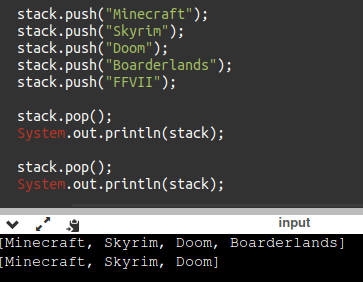
The push() method adds to the top, while
the pop() method removes from the top.
We can use the peek() method to show us
the top stack value.
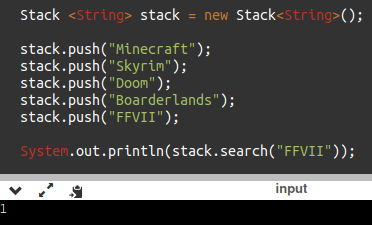
We can also use the search() method to
search and see if a value is in our stack.
Unlike elements, stack's index
start at 1 as opposed to zero.
. Also recall that stack is LIFO, this means
a stack starts at the top rather than at
the bottom.
It's easy to run out memory with stacks?
Some uses of stack include :
1. undo/redo features in text editors
2. moving back/forward through browser history
3. backtracking algorithms (maze, file directories)
4. calling functions (call stack)